Web-based GST billing for PC and laptop users

GST billing software for PC, laptop and Android

Ledgerly is GST billing software that runs from any web browser on a PC or laptop. No installation needed. Create invoices, manage khata, track inventory, run POS billing and manage staff — from a computer or Android phone, with the same business account.

Open from any browser — no install
GST invoices on PC and laptop
Same account on web and Android
Wider dashboard for reports and GST
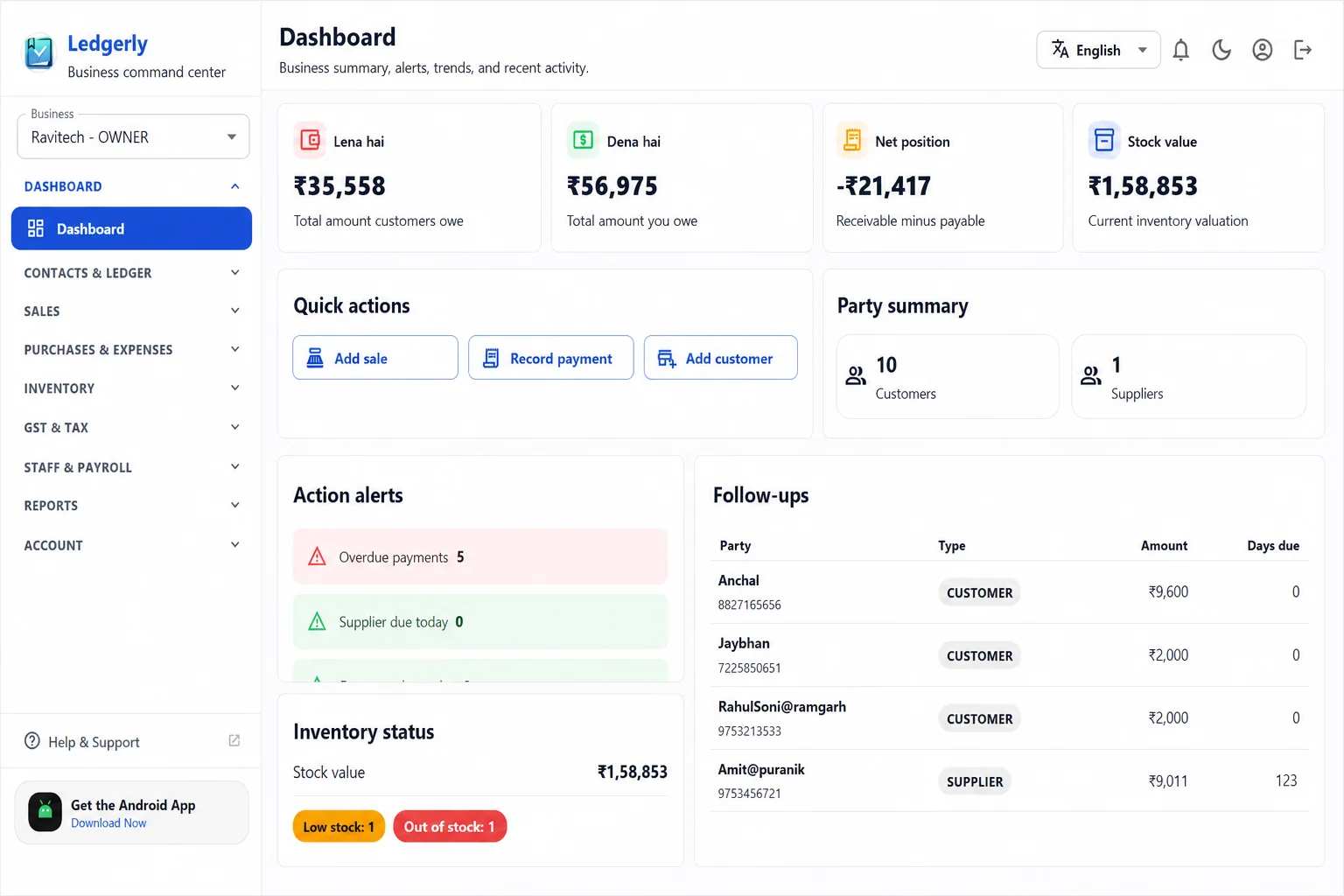
Ledgerly web dashboard for GST billing on PC and laptop
No software to install

Open app.ledgerly.biz in Chrome or Edge on any Windows PC or laptop. Your business data is always there.

Why PC Billing Matters

Shop owners and accountants often prefer a computer for billing, GST review and reports.

While counter staff use Android for quick billing, the shop owner, manager or accountant often sits at a PC or laptop to review invoices, handle GST records, check monthly reports and manage product lists. Ledgerly web app is built for exactly this kind of wider-screen review work.

1
Use Ledgerly from browser without installing desktop software

Open app.ledgerly.biz in Chrome, Edge or any modern browser on Windows, Mac or any laptop. No download, no installation, no desktop application to update. Start billing immediately from any computer you log in from.

2
Create GST invoices faster on a larger screen

Wider screen means faster data entry — see customer details, product list, GST rates and payment totals all at once without scrolling. Create more invoices in less time during busy billing periods at month end or during peak sales.

3
Review reports and GST records with more breathing room

Daily cash reports, profit and loss, GST summaries and inventory reports are easier to read and compare on a PC screen. Owners and accountants can review business performance without squinting at a small phone screen.

What You Can Do From PC

Manage products, customers and reports from PC without any desktop app.

Ledgerly web app on PC gives you access to all the same features as the Android app, plus the advantage of a wider screen for data-heavy tasks like GST review, report analysis and bulk product management.

A
GST invoice creation and management

Create, edit and manage GST invoices from PC. View invoice list, filter by date or customer, check payment status and download PDF copies — all from the browser.

  • Full invoice workflow on PC browser
  • Customer-wise invoice history
  • PDF download and sharing
B
Khata and customer ledger

View customer-wise khata, check pending balances across all customers and share statements from the wider web interface on PC. Easier to review and reconcile than on a small screen.

  • All customer khata in one view
  • Pending dues and collection summary
  • Statement export and sharing
C
Products and inventory

Add and manage your full product catalog, update stock levels, set prices and GST rates — faster on PC where you can work with the full product list without scrolling.

  • Bulk product viewing and editing
  • Stock levels and low inventory flags
  • Category and price management
D
Reports and business review

Daily cash reports, sales summary, profit and loss, expense reports and GST summaries all display better on PC. Owners and accountants can compare data across periods more easily.

  • Sales, cash and profit reports
  • GST summary and tax records
  • Expense category analysis
E
Staff management from PC

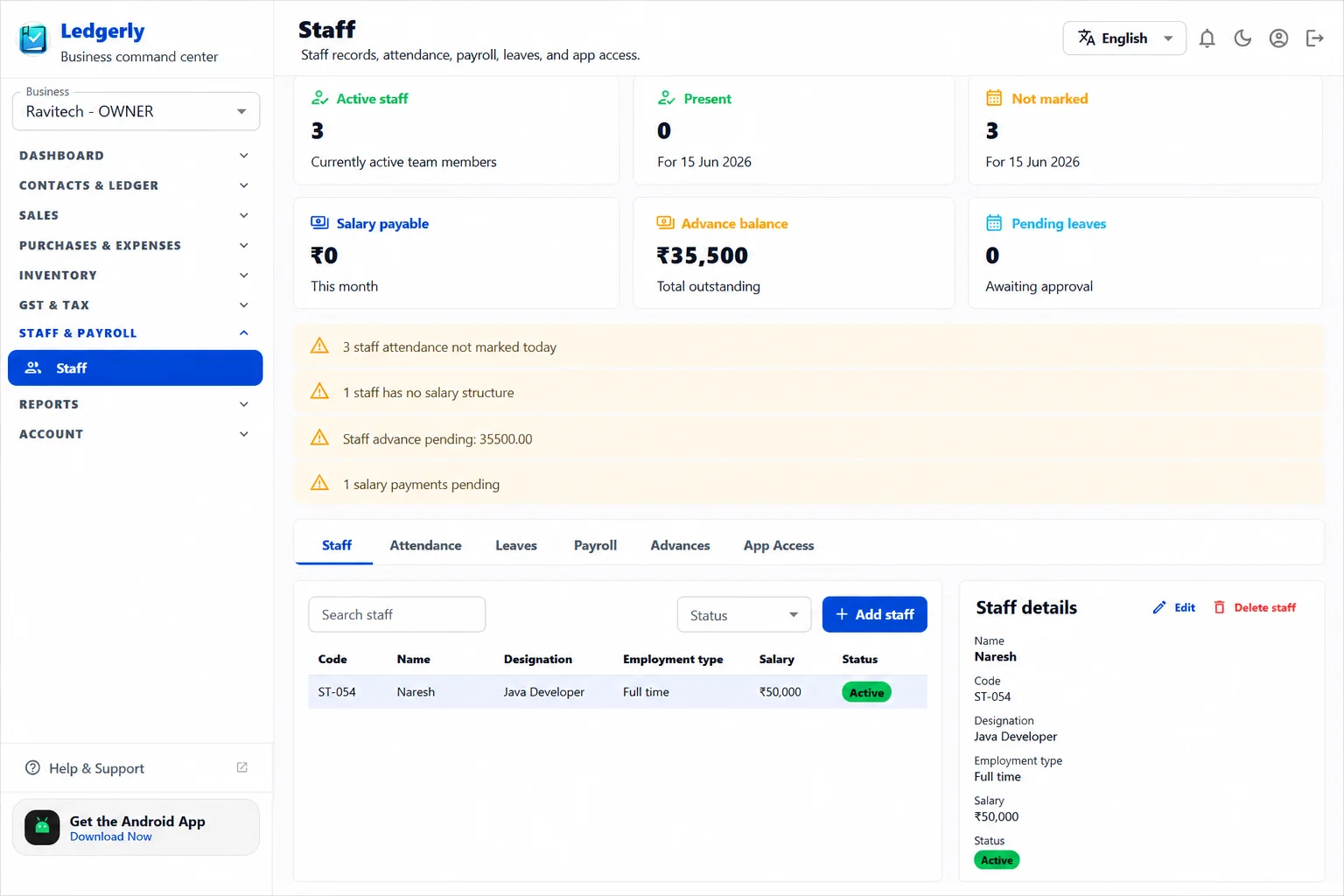
Review staff attendance records, process payroll calculations, manage leave approvals and check staff-wise data from the wider PC interface without switching to the phone.

  • Staff attendance and leave records
  • Payroll calculation review
  • Staff app access management
F
Use Android app and web together

Counter staff handle billing on Android while the owner manages accounts on PC — all within the same business account, same data, real-time sync without manual export or file transfer.

  • Real-time sync across devices
  • Same business account for the whole team
  • No extra charge for adding web access
Web Screens

Ledgerly web interface on PC — wider views for serious business work.

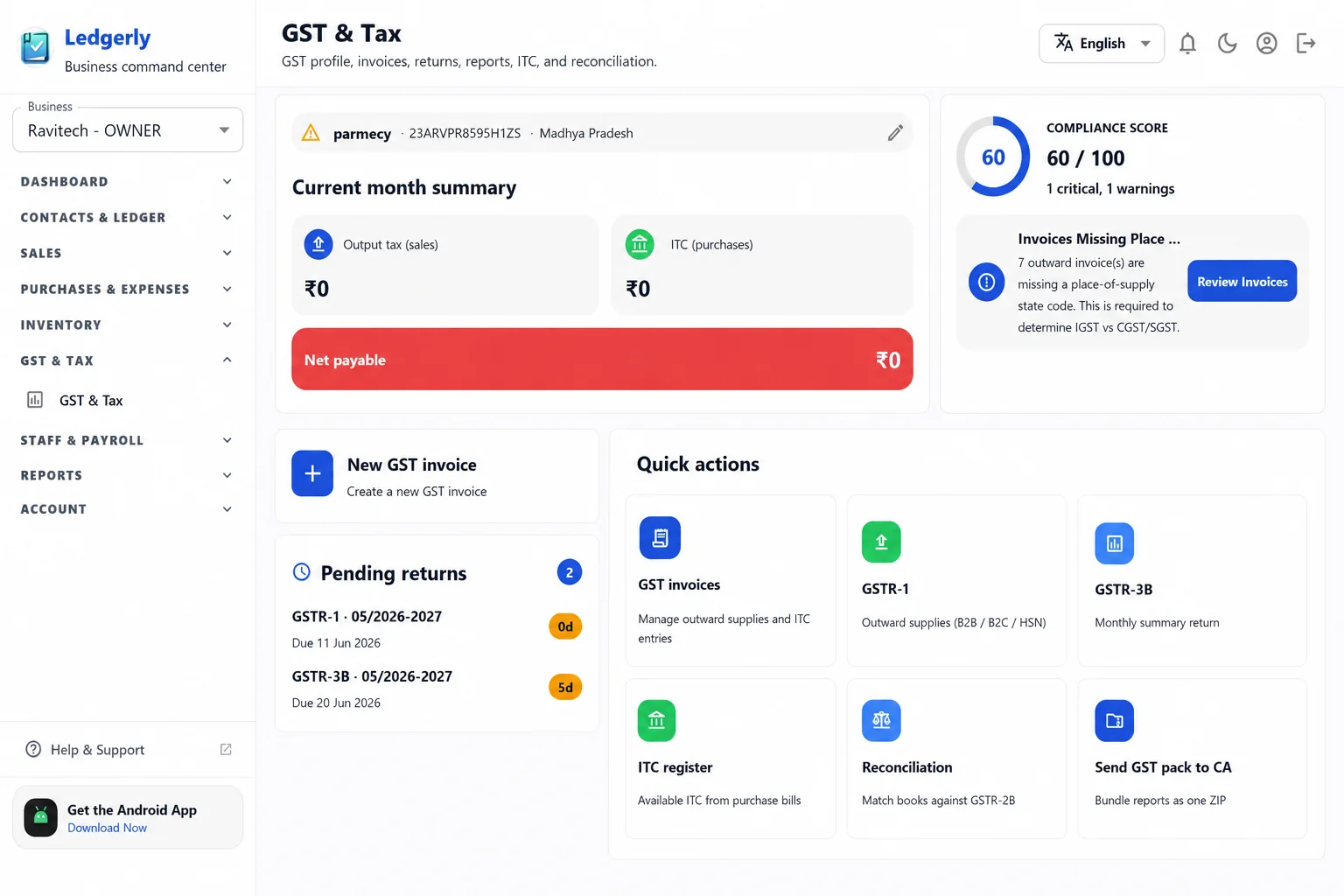
These screenshots show what Ledgerly looks like on a PC or laptop screen — wider dashboards, GST records and report views built for desktop use.

Ledgerly web dashboard for GST billing on PC and laptop
Dashboard
Business overview on PC

See sales summary, collection status and daily business activity from the wide PC dashboard view.

Ledgerly web GST billing screen for PC and laptop
GST
GST records on PC

Review GST invoices, tax records and billing summaries with more room on a larger screen.

Ledgerly web reports screen for PC showing sales and cash reports
Reports
Sales and cash reports on PC

Compare daily sales, expenses and profit trends more easily on the wider PC report view.

FAQ

Questions about using Ledgerly GST billing software on PC and laptop.

Is Ledgerly GST billing software for PC available?
Yes. Ledgerly runs as a web app from any browser on a PC or laptop. Open app.ledgerly.biz in Chrome or Edge on Windows, Mac or any computer — no software installation needed.
Do I need to install Ledgerly on my Windows PC?
No. Ledgerly is browser-based GST billing software. Open it in Chrome, Edge or Firefox on your Windows PC or laptop. No download or desktop application needed.
Can I use Ledgerly on PC and Android at the same time?
Yes. Counter staff can use the Android app while the owner or accountant uses the web version on PC — both on the same business account, with data syncing in real time.
Is the web version of Ledgerly the same as the Android app?
Most features are available on both platforms. The web version is designed for larger screens and gives a wider view of reports, GST records and product management. Some counter-specific features like barcode scanning work best on Android.
What is the price for using Ledgerly on PC?
Ledgerly is Rs. 115 per month or Rs. 990 per year. Both plans include full web access for PC and Android under the same subscription — no separate charge for web.
Who should use Ledgerly on a PC or laptop?
Shop owners, accountants and managers who handle GST review, monthly reports, invoice management and product catalog work benefit most from using Ledgerly on PC due to the wider screen and faster data entry.

Open Ledgerly on your PC or laptop and start your free trial.

No installation. Open app.ledgerly.biz in your browser now. Start with 1 month free trial, then continue at Rs. 115 per month.

  • Use GST billing software on PC without installing desktop software
  • Also get the Android app for counter billing under the same plan
  • Manage invoices, khata, inventory, reports and staff from a computer

Related pages

Compare Ledgerly across platforms and explore how it works for different business use cases.

Open Web App