
Track udhar and jama customer-wise
Khata & collection · Web & Android
Khata App for Udhar, Collection & Payment Follow-up
Track customer udhar, jama, pending payments, overdue customers and statements from one simple app.
1 Month Free Trial · No Payment Needed · Only ₹115/month after trial
Start with 1 month free trial
Try Ledgerly free for your shop. No payment needed. Then only ₹115 per month.
See who needs follow-up today
Mark pending customers clearly
Share customer balance easily
Udhar Tracking
Know who has to pay you.
See customer-wise pending amounts, old balances, partial payments and recent jama entries in one place.
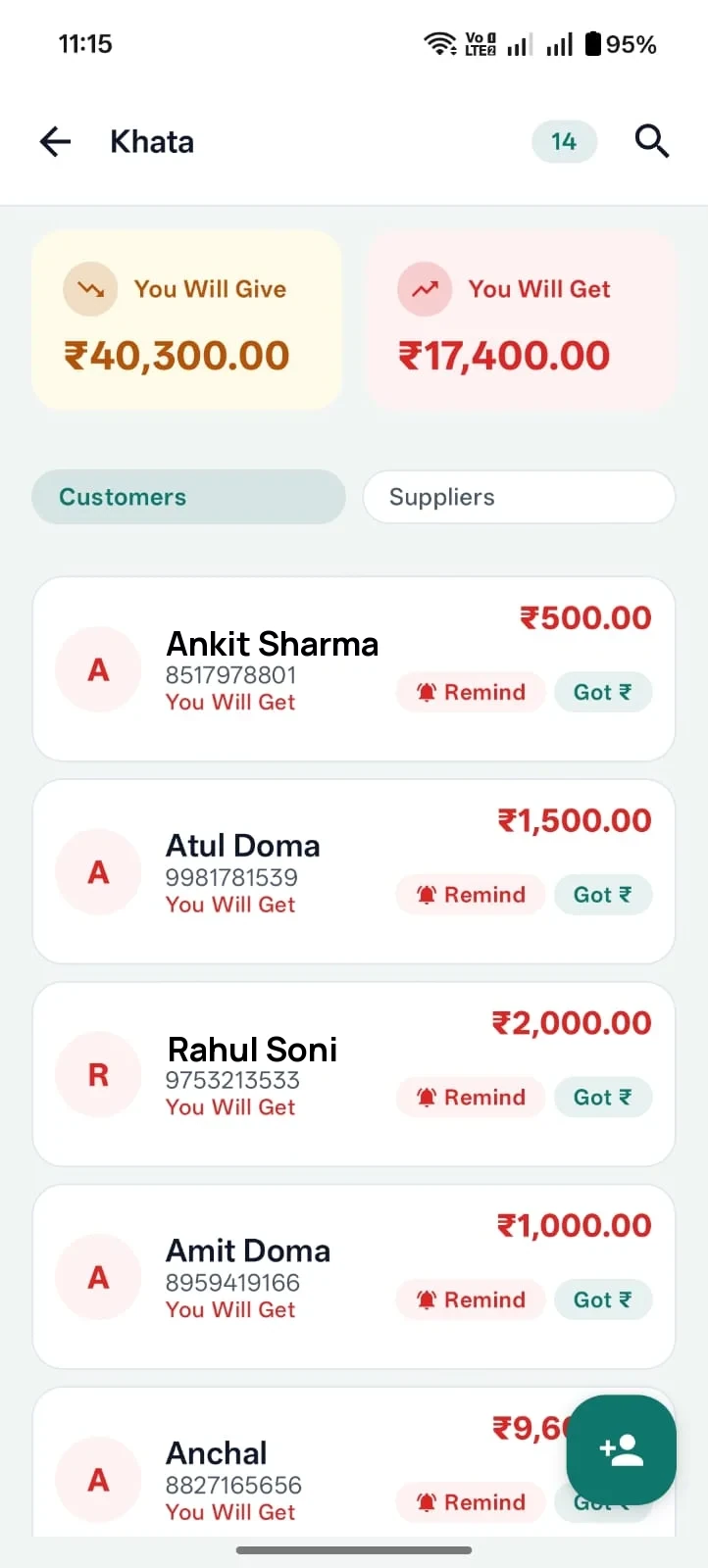
- Customer and supplier khata with "you will get / you will give" totals
- Old balances and partial payments stay on the customer's record
- Recent udhar and jama entries visible at a glance
- Overdue customers stay marked until they pay
Collection
Collection follow-up without confusion.
Notebook khata and scattered WhatsApp chats fail once customers grow. Ledgerly keeps pending payments, follow-up and statements in one flow.
1
Today's pending payments
Open the khata list and see who still has to pay, with customer-wise pending amounts sorted for daily review.
2
Overdue customer marking
Mark overdue / defaulter customers for follow-up so pending bills do not depend on memory or paper notes.
3
WhatsApp reminder-ready flow
Send payment reminders from the customer's khata. For quick drafts, the free WhatsApp payment reminder generator also helps.
4
Statement sharing
Share a clean customer statement when someone asks for their balance, instead of assembling entries from a notebook.
Stop losing track of udhar
Manage customer khata, collections and payment follow-up in Ledgerly. Free for 1 month, then only ₹115/month.
Connected Workflow
Billing + Khata together.
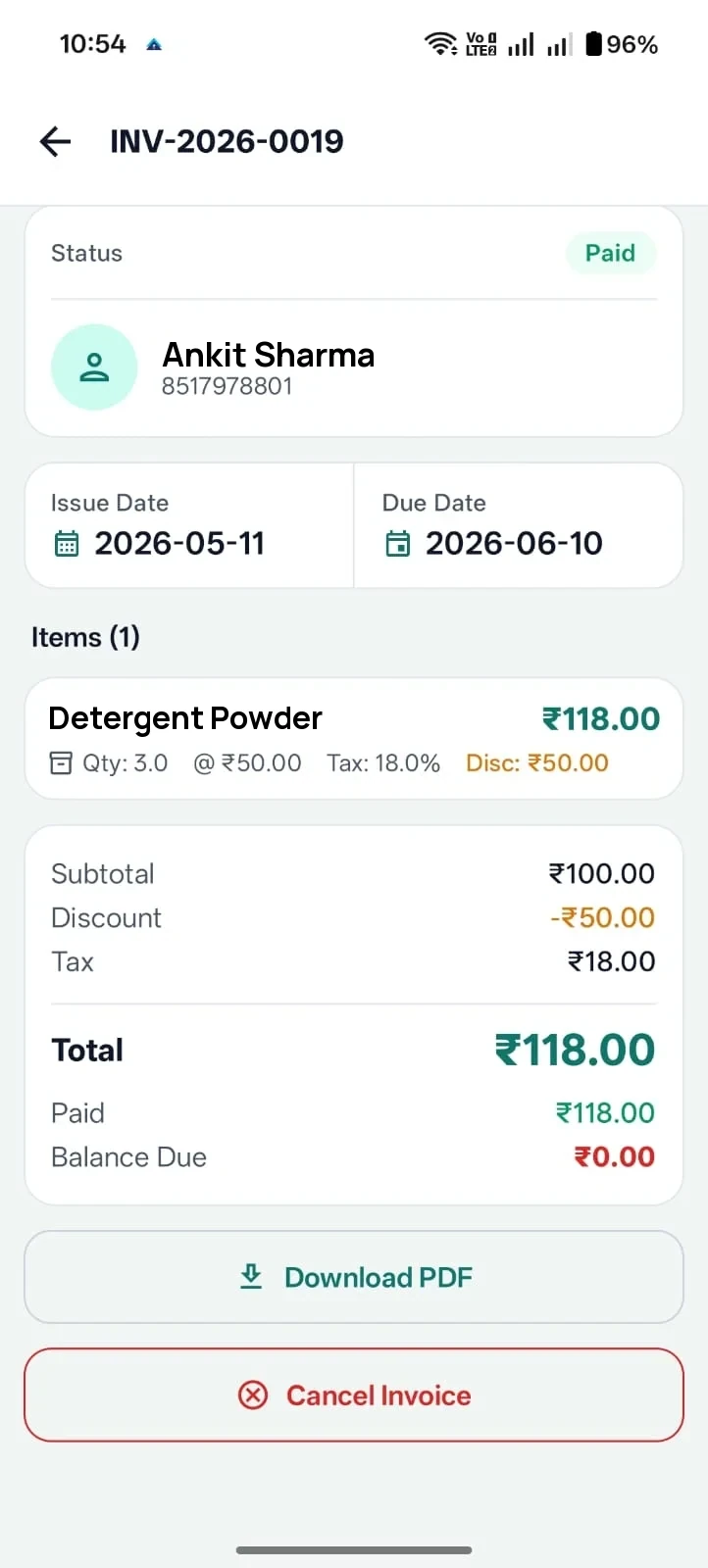
If a customer buys on credit, keep the bill and khata record connected so you do not manage billing in one place and udhar in another.
- Unpaid GST bills stay linked to the customer's khata
- Combined records with the khata + GST billing app workflow
- Counter sales from POS billing feed the same customer history
Digital Khata
Replace paper udhar notebooks with customer-wise digital khata records.
Ledgerly is useful when a shop gives monthly credit to regular customers, accepts partial payments, records old balances and needs payment follow-up without losing the link to daily bills.
Instead of checking a paper notebook at the counter and then sending a separate WhatsApp message later, the owner can keep the customer's running balance, older entries and recent jama in a clearer digital record. This is especially helpful when family accounts, repeat buyers or party-wise balances need regular review. For quick message drafts, use the free WhatsApp payment reminder message generator to send polite follow-ups.
1
Built for repeat customer credit
A kirana shop can track family-wise monthly credit, a garment shop can review unpaid invoices, and a mobile accessories shop can keep small pending payments visible instead of relying on memory.
2
Better follow-up visibility
Customer-wise balances, udhar entries, jama entries, partial payments and old balance records make collection follow-up more disciplined for the owner and clearer for the customer, especially when dues are reviewed every evening or at month end.
3
Khata works better with billing
A wholesaler tracking party-wise balances should not manage invoices in one place and khata in another. Ledgerly connects khata with GST billing and broader small business billing workflows.
Screens
See how Ledgerly supports khata and collections.
Real screens from the Android app — khata, quick sale and billing — built for regular review.
Khata
Keep balances visible
View dues and statements in a cleaner layout built for regular review.
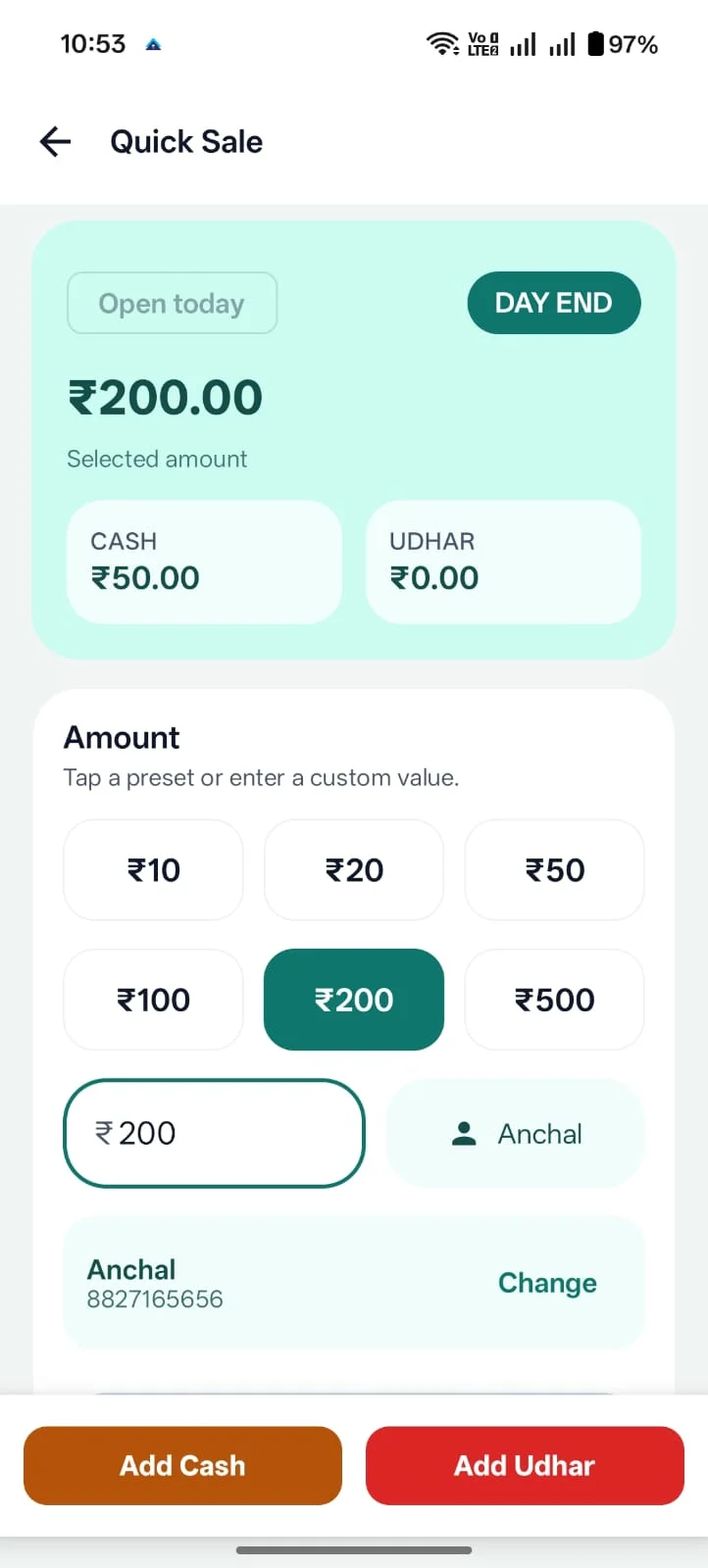
Udhar
Track daily entries faster
Use quick sale and udhar-oriented screens when a full invoice is not necessary.
Billing
Stay close to invoicing
Move between billing activity and customer balances without changing systems.
FAQ
Questions about using Ledgerly as a khata app for shop owners.
Can Ledgerly be used as a khata app?
Yes. Ledgerly includes customer and supplier khata workflows built around balances, reminders and statement sharing.
Is it useful as an udhar app or jama udhar app for shop owners?
Yes. Ledgerly is positioned for day-to-day shop workflows where udhar, jama, collections and sales activity need to stay visible together.
Can I use it as a customer khata app and supplier khata app?
Yes. Ledgerly supports both customer khata and supplier khata workflows, so billing and collections do not have to stay disconnected.
Does Ledgerly support khata app with statement sharing?
Yes. Ledgerly includes statement sharing and reminder-oriented workflows that help businesses follow up on dues more clearly.
Where should I install Ledgerly from?
Open Ledgerly Web at app.ledgerly.biz from a computer, or use the official Google Play listing for Android.
Use a khata app that supports actual follow-up.
Try Ledgerly free for 1 month. No payment needed. Only ₹115/month after trial.
- Customer-wise udhar, jama and pending amounts
- Overdue marking, reminders and statement sharing
- Khata connected to billing and reports on Android and web
Related pages
Khata searches usually sit close to queries about GST billing, POS billing and broader small business software.