Best GST Billing App for Android in India — Bill on Any Phone
India has over 700 million Android users. Most small shop owners in India already have an Android phone in their pocket. The question is — are they using it to run their billing, or are they still writing invoices by hand? The right GST billing app for Android can transform your phone into a complete billing counter.
Why Android Is the Right Platform for Small Business Billing in India
Desktop billing software made sense when computers were the primary business tool. Today, the average Indian shopkeeper is far more comfortable on their Android phone than on a PC. Android phones are affordable, portable and always within reach — at the billing counter, during delivery runs, or when checking sales from home after closing.
Android billing also removes the need for expensive hardware. You do not need a dedicated billing computer, a receipt printer or a barcode scanner (though you can add these if you want). A basic Android phone running a good billing app can handle everything — invoice creation, PDF generation, WhatsApp sharing, stock management and customer ledgers.
The other big advantage of Android billing is that it works everywhere. You are not tied to one location. Traders who visit wholesale markets, delivery staff who collect payments on the road and shop owners who want to check their sales figures from home all benefit from having billing on their Android phone.
What to Look for in an Android GST Billing App
- Performance on budget phones: The app must run smoothly on entry-level and mid-range Android devices — not just high-end phones. Most Indian shop owners use phones in the ₹5,000–₹15,000 range.
- Offline capability: Internet connectivity in Indian shops and markets can be unreliable. The app should work offline and sync data when connectivity is restored.
- Fast invoice creation: You should be able to create a complete GST invoice in under 60 seconds, even during a busy hour at the counter.
- WhatsApp PDF sharing: The most common way Indian customers want to receive their bills is on WhatsApp. One-tap sharing is essential.
- Hindi or regional language support: For shopkeepers who are not comfortable in English, language options matter significantly.
How Ledgerly's Android App Is Built for Indian Shops
Ledgerly's Android GST Billing App is optimised for the Indian market from the ground up. The interface is touch-friendly, fast and simple enough that any staff member can learn it in an hour. It runs smoothly on Android devices with basic specs and does not require a high-speed internet connection to function.
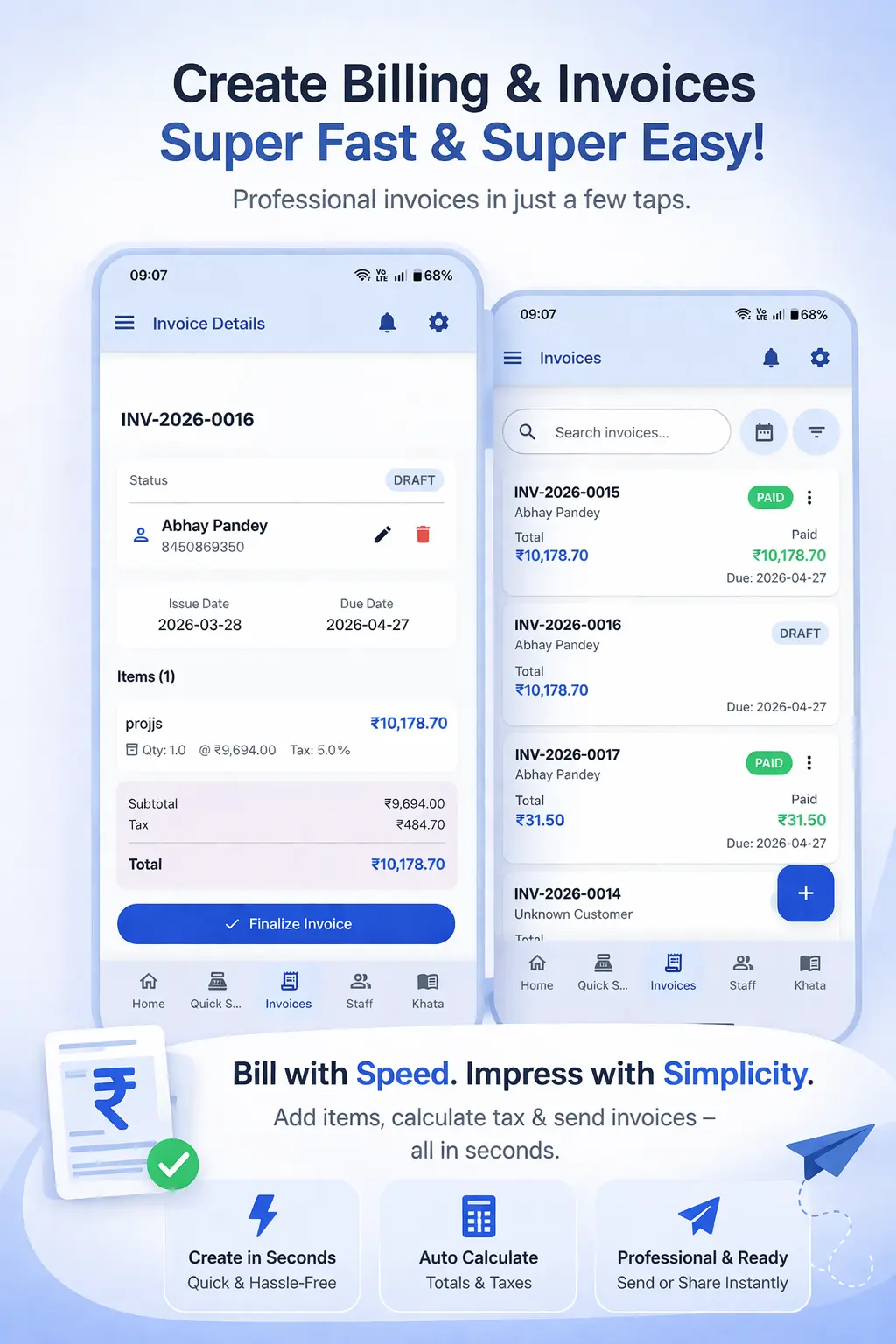
Creating a bill on Ledgerly Android takes three steps: select products from your inventory, confirm the customer, tap "Save and Share." The PDF is generated instantly and you can share it to WhatsApp in one tap. The GST Billing App automatically applies the correct GST rate to each product and breaks down CGST and SGST on the invoice without any manual calculation.
When you are ready to set up the app and explore all features, the How to Use guide covers everything from your first login to advanced inventory and khata features — with screenshots taken from the actual Android app.
Step-by-Step: Setting Up Ledgerly on Your Android Phone
- Download Ledgerly from the Google Play Store by searching "Ledgerly" or scanning the QR code on the website.
- Sign up with your mobile number and create your business profile — shop name, GSTIN, address.
- Add your products with prices and GST rates. You can add them one by one or import from a spreadsheet.
- Create your first invoice: tap "New Invoice," search for a product, add quantity, select or add a customer.
- Review the auto-calculated GST total and tap "Save." Share the PDF to the customer's WhatsApp directly from the app.
- Check today's sales summary and stock levels from the home dashboard.
Frequently Asked Questions
Does Ledgerly Android work on older Android versions?
Ledgerly supports Android 6.0 and above, which covers the vast majority of smartphones currently in use in India, including budget phones from 2019 onwards.
Can I print invoices from the Android app?
Yes. Ledgerly supports printing via Bluetooth thermal printers, which are popular for receipt printing in Indian shops. You can also generate PDF invoices to share digitally without printing at all.
Will my data be safe if I change my phone?
All your business data is stored in the cloud. When you log in to the Ledgerly app on a new Android phone, all your invoices, customers, products and reports are available immediately.
Can multiple staff members use the app on their own phones?
Yes. Ledgerly supports multi-user access, so your billing staff can each log in on their own phones and create invoices simultaneously. All data is synced to the same business account in real time.
Turn Your Android Phone Into a Full Billing Counter
Download Ledgerly on your Android phone and start creating GST invoices in minutes. Free trial available.
Download Android App