
How to make a GST bill on mobile — step-by-step guide
Creating a GST-compliant invoice no longer requires a computer, a printer or accounting knowledge. With the right mobile app, you can generate a professional invoice with CGST/SGST breakup, your GSTIN and all mandatory fields in under 60 seconds — directly from your Android phone.
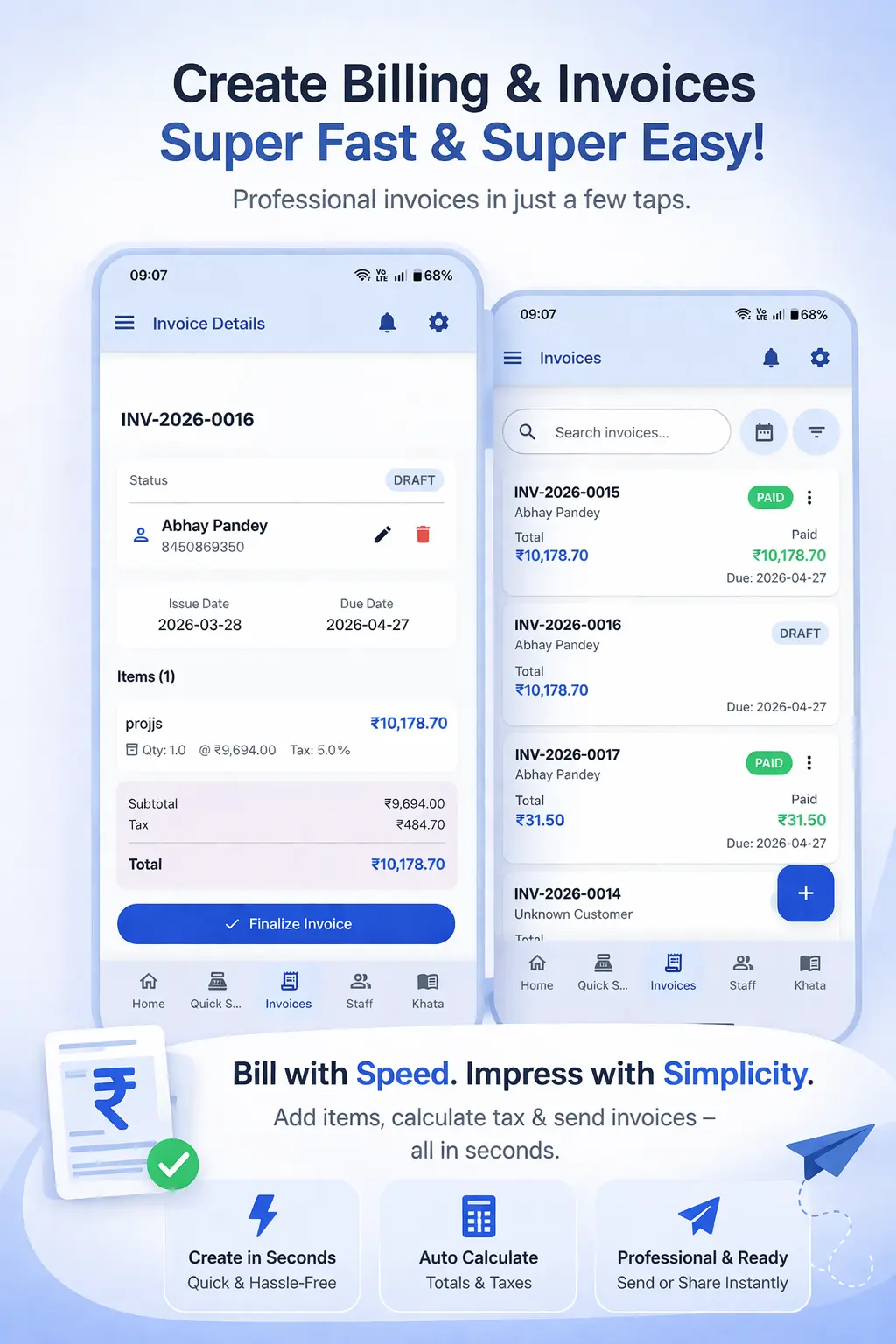
Why Mobile GST Invoicing Matters for Indian Shop Owners
Most Indian small business owners spend the majority of their working day on their feet — at the counter, at markets, during deliveries or on client visits. A billing system tied to a desktop PC does not fit this reality. Mobile GST invoicing puts the billing counter in your pocket.
Beyond convenience, GST law in India requires that every registered supplier issue a proper tax invoice within a prescribed time limit. Delayed or incorrect invoices can cause problems during GST filing — particularly when customers need the input tax credit from your invoice. Getting this right matters financially for both you and your customers.
The good news is that a mobile GST billing app handles all the compliance requirements automatically. You do not need to know the exact GST invoice format or calculate CGST and SGST by hand. The app does all of it for you.
What a Valid GST Invoice Must Include
Before creating your first mobile invoice, it is useful to know what the GST rules require. A valid GST invoice for a registered supplier must contain:
- Invoice number and date
- Supplier's name, address and GSTIN
- Customer's name and address (and GSTIN for B2B invoices)
- Description of goods or services
- HSN or SAC code for each item
- Quantity and unit of measure
- Taxable value (before GST)
- GST rate and amount — split as CGST + SGST (intrastate) or IGST (interstate)
- Total invoice value
Ledgerly's GST Billing App automatically populates all of these fields based on the product and customer data you have set up — so you never have to manually fill in these details on every invoice. You can also check the standard GST Invoice Format for reference.
Step-by-Step: Creating a GST Invoice on Mobile with Ledgerly
- Open Ledgerly on your Android phone. From the home screen, tap "New Invoice" or the "+" button.
- Select or add the customer. Search by name or phone number. If it is a new customer, add their name and phone number in seconds.
- Add products. Search your product list by name or barcode. Tap to add, enter the quantity and the price auto-fills from your saved product list.
- Review the GST breakdown. The app automatically calculates CGST and SGST for each item based on the GST rate you assigned to the product. The total GST and invoice total are shown in real time.
- Apply discounts if needed. You can add a line-level or invoice-level discount. The GST is recalculated on the discounted value automatically.
- Tap "Save Invoice." The invoice is saved, assigned a sequential invoice number and the PDF is generated.
- Share on WhatsApp. Tap "Share" and select WhatsApp. Choose the customer's contact and the PDF bill is sent instantly.
Tips for Faster Mobile Invoicing
Once your product catalogue is set up properly, mobile invoicing becomes extremely fast. Here are a few tips to make it even faster:
- Save your most common customers as favourites so you can find them in one tap.
- Use barcode scanning to add products — faster than typing, especially for kirana and retail shops.
- Set up product combos or bundles for products you frequently sell together.
- If you bill the same customer frequently, use the "Repeat Invoice" feature to clone the last bill and just update quantities.
For a complete walkthrough of all the features, visit the How to Use guide. If you need to generate a quick one-off invoice without setting up an account, try the free Invoice Generator tool.
Frequently Asked Questions
Do I need a GSTIN to create invoices in Ledgerly?
No. If you are not GST-registered, you can create regular invoices without GSTIN or GST calculations. Ledgerly supports both GST and non-GST billing. Unregistered dealers under the Composition Scheme can also create the correct format of bills.
Can I customise the invoice template with my shop logo and colours?
Yes. Ledgerly lets you add your business logo, choose invoice colours and customise the invoice footer with payment terms or bank details. Your branded invoice looks professional even when shared as a PDF on WhatsApp.
How do I handle returns or credit notes on mobile?
Ledgerly supports credit notes for returns. When a customer returns goods, you can create a credit note linked to the original invoice. The stock is automatically added back and the customer ledger is updated.
Is there a limit on how many invoices I can create?
The number of invoices depends on your Ledgerly plan. The free trial gives you access to all features. Paid plans are designed to handle the invoicing volume of an active small or medium business without limits on invoice count.
Create Your First GST Invoice in 60 Seconds
Download Ledgerly on Android or open the web app. Your first invoice is ready before your customer finishes paying.
Try Ledgerly Free