
How to Manage Customer Khata Digitally — Say Goodbye to Notebooks
The paper khata book sitting behind your shop counter has served generations of Indian traders. But it is no longer the best tool available. Digital khata management is faster, safer and far more powerful — and switching is easier than most shop owners expect.
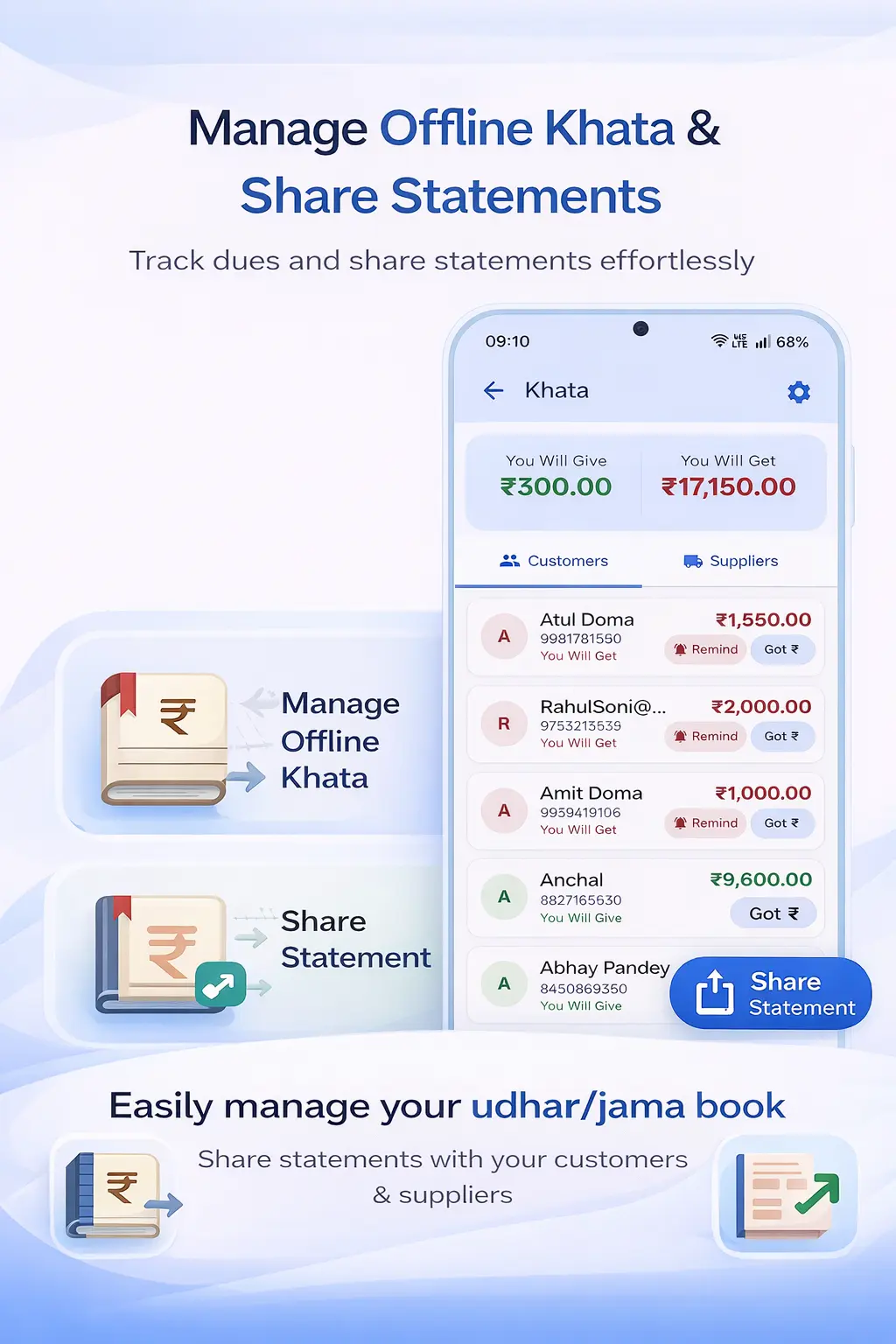
What Makes Paper Khata Unreliable
Paper khata works on trust and memory — two things that become unreliable at scale. When you have 10 regular credit customers, a paper notebook is manageable. When that number grows to 50 or 100, the cracks start to show. Entries get missed during busy periods. Notebooks fill up and you start a new one, but now the full customer history is split across two books. A notebook gets wet, torn or simply cannot be found when you need it.
The bigger problem is collection. When a customer's dues are sitting in a notebook, you have no easy way to remind them. Calling personally feels awkward. Without reminders, many customers simply wait until they visit the shop — which means your working capital stays locked in outstanding dues for longer than it should.
There is also the dispute problem. Customers sometimes claim they paid more than your records show. With paper, it is your word against theirs. With digital records showing timestamped entries, disputes resolve quickly and without hard feelings.
Key Benefits of Digital Khata Management
- Always up to date: Every credit sale and payment is recorded the moment it happens — no backlog, no catch-up entries at the end of the day.
- WhatsApp statements: Share a customer's complete account statement on WhatsApp in one tap. Professional, clear and time-stamped.
- Total outstanding at a glance: See how much total udhar you have outstanding across all customers instantly — not just individual balances.
- Automatic due date tracking: Set credit periods per customer and get alerted when dues are overdue.
- No data loss: Cloud backup means your khata data is safe even if your phone is lost, damaged or stolen.
How Ledgerly Makes Digital Khata Simple
Ledgerly's Khata App is designed to feel as natural as a paper ledger but with the power of a modern database. Each customer has their own page showing every transaction — udhar entries, jama (payment) entries and the running balance — in a clean, readable format.
When you create an invoice in Ledgerly and mark it as credit, the customer's khata balance updates automatically. No separate entry in a book, no risk of forgetting to record it. The billing and khata systems are linked, so your records are always consistent.
For shops that need both GST billing and khata management in one place, the Khata + GST Billing app is the complete solution — one app for creating tax invoices and managing customer credit simultaneously.
For kirana stores and grocery shops where credit sales are a daily part of business, Ledgerly's Kirana Store Billing solution includes all khata features integrated with fast counter billing.
Step-by-Step: Moving Your Khata to Ledgerly
- Create your Ledgerly account (free) and set up your business profile.
- Go to the Customers section and add each credit customer — name and phone number is enough to start.
- For each customer with an existing balance, tap "Set Opening Balance" and enter the current amount they owe.
- From this point forward, create all sales through Ledgerly. Credit sales automatically update the khata.
- When a customer pays, open their khata page, tap "Record Payment" and enter the amount received.
- To send a statement, tap "Share Statement" on any customer's page — it generates a PDF and opens WhatsApp pre-filled with their number.
Frequently Asked Questions
Do I need to enter all my old transactions in Ledgerly?
No. You only need to enter the current outstanding balance (opening balance) for each customer. Past transaction details can stay in your paper khata for reference. Ledgerly tracks everything from the date you switch onwards.
Can I give some customers credit limits?
Yes. Ledgerly allows you to set credit limits per customer. When a customer's outstanding balance reaches their limit, the app alerts you so you can decide whether to extend credit or request payment first.
What if a customer does not use WhatsApp?
You can print the statement or share the PDF through any other messaging app or email. Ledgerly generates a standard PDF that works everywhere.
Can I track khata for wholesale customers who place large orders?
Yes. Ledgerly handles both retail credit customers and wholesale customers with large outstanding balances. You can filter by amount outstanding to quickly identify your biggest debtors.
Go Digital With Your Khata Today
Set up your digital customer ledger in minutes. Track udhar, record payments and send WhatsApp statements — all from your phone.
Try Ledgerly Free