
POS Billing Software for Retail Shop — Fast Checkout, GST Bills
A Point of Sale (POS) system is no longer just for large supermarkets or chain stores. Modern POS billing software for Indian retail shops is affordable, simple to set up and dramatically faster than manual billing — without requiring expensive hardware or IT expertise.
What Is POS Billing Software and Why Do Retail Shops Need It
POS billing software is the system that handles the final step of a sale — when a customer is ready to pay. It adds up the items, calculates discounts and GST, generates the bill and records the transaction. A good POS system does all of this in seconds, with no manual calculation errors.
For retail shops — clothing stores, footwear shops, electronics retailers, home goods stores — the billing counter is the most critical point of customer experience. Long queues at checkout frustrate customers and cost you sales. Billing errors damage trust. A modern POS billing app eliminates both problems.
The shift to GST has made POS software even more important. Every retail bill now needs to correctly apply GST, show the breakup of CGST and SGST, and record the transaction for accurate monthly returns. Doing this manually at scale is impractical. A POS system handles it automatically on every transaction.
Key POS Features That Retail Shops Need
- Barcode scanning: Scan product barcodes to add items instantly — faster and more accurate than typing product names during busy hours.
- Quick cash calculation: The POS should show you how much change to give the customer without any mental arithmetic.
- Multiple payment modes: Cash, UPI, card and wallet — all recorded clearly so your daily cash reconciliation is accurate.
- Automatic GST calculation: GST rate per product is stored in advance. Every bill applies the right rate automatically without the cashier needing to know GST rates.
- Receipt printing and WhatsApp sharing: The customer gets their bill immediately — either printed at the counter or shared on WhatsApp.
- Inventory deduction: Every sale automatically reduces stock so your inventory records stay accurate without separate manual updates.
How Ledgerly's POS Works for Retail Shops
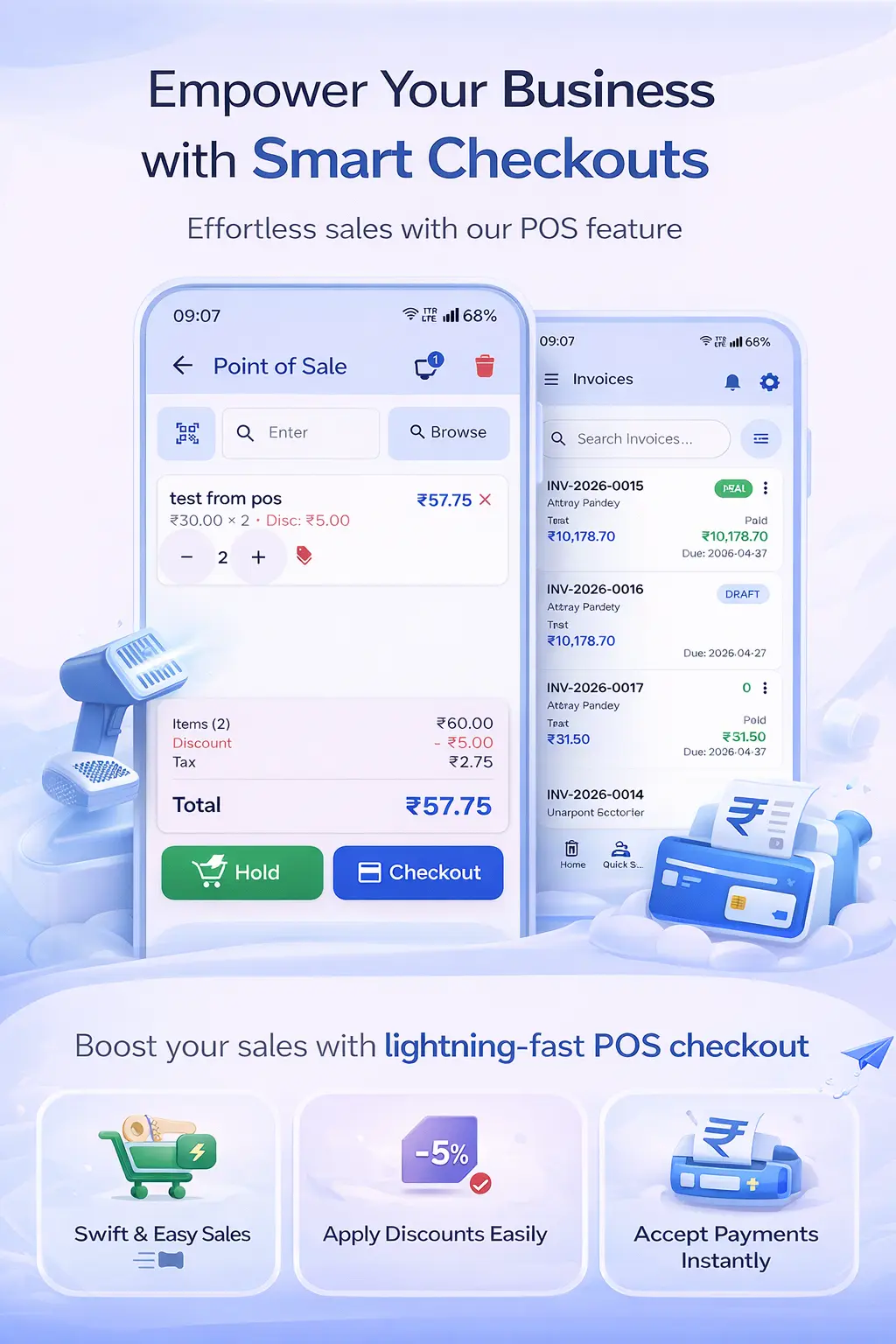
Ledgerly's POS Billing App is designed for speed at the retail counter. The checkout interface is clean and touch-optimised — your cashier can search products by name or scan barcodes to add them to the cart. The system calculates the total, applies GST and shows the amount instantly.
For retail shops that are GST-registered, every bill that goes out of Ledgerly is GST-compliant — with GSTIN, invoice number, CGST/SGST breakup and all mandatory fields automatically filled. There is nothing extra to do; the system handles compliance in the background.
Ledgerly's POS also works seamlessly as a complete Retail Shop Billing Software — covering not just the counter checkout but also sales reports, inventory management and customer payment tracking across your entire retail operation.
The GST Billing App handles situations where you need to issue a full GST invoice rather than a simple receipt — for B2B customers who need input tax credit, for example. Both modes work from the same app, switching between retail POS mode and invoice mode seamlessly.
Step-by-Step: Setting Up Ledgerly POS for Your Retail Shop
- Create your Ledgerly account and add your shop details including GSTIN.
- Add your products with selling prices, GST rates and opening stock quantities. Import from CSV if you have a large catalogue.
- Connect a Bluetooth barcode scanner if you have one — Ledgerly recognises it automatically. Otherwise, use the phone camera as a barcode scanner.
- Set up your payment methods — cash, UPI, card. Each sale records the payment type for daily reconciliation.
- Train your staff on the checkout flow. The Ledgerly POS is simple enough that most staff can learn it in one session.
- At the end of each day, review the sales summary — total revenue, GST collected, top-selling products and cash vs UPI split.
Frequently Asked Questions
Do I need a special billing machine or POS terminal for Ledgerly?
No. Ledgerly POS runs on any Android phone or tablet. You do not need a dedicated POS terminal. Many shop owners run Ledgerly on a tablet mounted at the counter for a more traditional POS feel, but it works equally well on a regular phone.
Can Ledgerly handle exchanges and returns at the billing counter?
Yes. Ledgerly supports sales returns and credit notes. When a customer returns an item, you create a return against the original bill. Stock is automatically credited back and the customer's account is updated.
Can multiple cashiers use Ledgerly simultaneously on different devices?
Yes. Ledgerly supports multiple users with role-based access. You can have multiple billing counters running simultaneously, each on a separate device, with all sales syncing to the same business account in real time.
Does Ledgerly generate end-of-day sales reports?
Yes. Ledgerly provides daily, weekly and monthly sales reports. You can see total sales, GST collected, top-selling products, payment mode breakdown and more — all from the app dashboard.
Upgrade Your Retail Counter to Smart POS Billing
Fast checkout, auto GST, inventory tracking and daily reports — all in one app. No expensive hardware needed.
Try Ledgerly Free